01 Oct 2026 · 5 min read
Moving your furniture shop from an order book to software
The book works until it does not: a deposit nobody chased, a delivery promised from memory, a page that went home in someone's pocket. Switching is easier than most owners expect.
Why shops put it off
Everything is in the book. Two hundred live orders, half of them with balances due, all in one person's handwriting. The fear is that typing it all in will take weeks and something will be missed. Done properly, it usually takes an afternoon.
Step 1: photograph, do not type
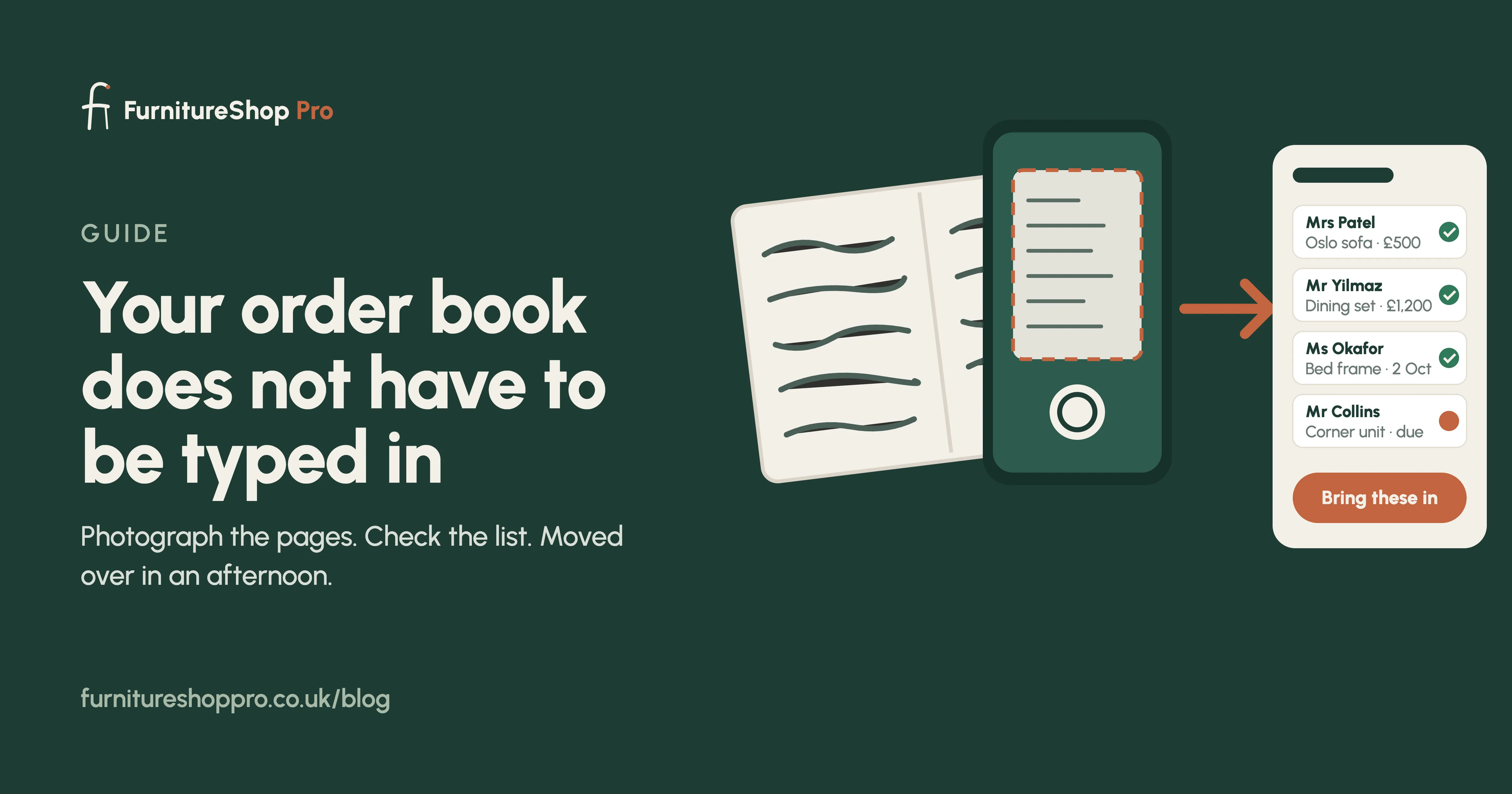
Photograph each page of the order book with your phone. FurnitureShop Pro reads the customer name, phone number, items, deposit, balance and delivery date from the photo and shows them to you as a list to check. Spreadsheets and CSV exports from an old till are imported the same way.
Step 2: check and confirm
You go down the list, correct anything the handwriting made ambiguous, and confirm. Each row becomes a live order with the right stage, deposit and balance. Nothing goes live until you say so.
Step 3: run both for one week
Keep the book open beside the tablet for the first week. Every new order goes into the software; the book is there for comfort. By the end of the week the book usually stays closed.
Step 4: switch on customer updates
Once orders are in, customers get a text when the piece is ordered, when it arrives at the warehouse and when the delivery is booked. This is the moment the phone goes quiet.
What about my staff?
If a new member of staff cannot take a deposit on day one, the software is too complicated. That is the standard we build to. A month of hands-on training is included, in the shop or over a video call, anywhere in the UK.
Ready?
See how import works or book a demo and bring a page of your book.
Frequently asked
How long does it take to move a furniture shop onto software?
A typical order book is moved over in an afternoon: photographing the pages and confirming the list takes an hour or two, and training takes the rest of the day.
Will I lose my old orders?
No. Every live order, deposit, balance and delivery date is loaded before you go live, and your paper book stays with you.
What if some orders are in a spreadsheet and some in the book?
Both are imported. Spreadsheets and CSV files go in directly; book pages are photographed.