01 Oct 2026 · 5 min read
Making Tax Digital for furniture retailers: what you must file and how
If your furniture shop is VAT registered, your return has to be kept digitally and filed through software. Here is what that means in practice.
The rule in one sentence
All VAT-registered businesses must keep VAT records digitally and file returns to HMRC using compatible software. Typing the figures into the HMRC website is no longer allowed, and copying totals from a spreadsheet into a filing tool must use a digital link, not a keyboard.
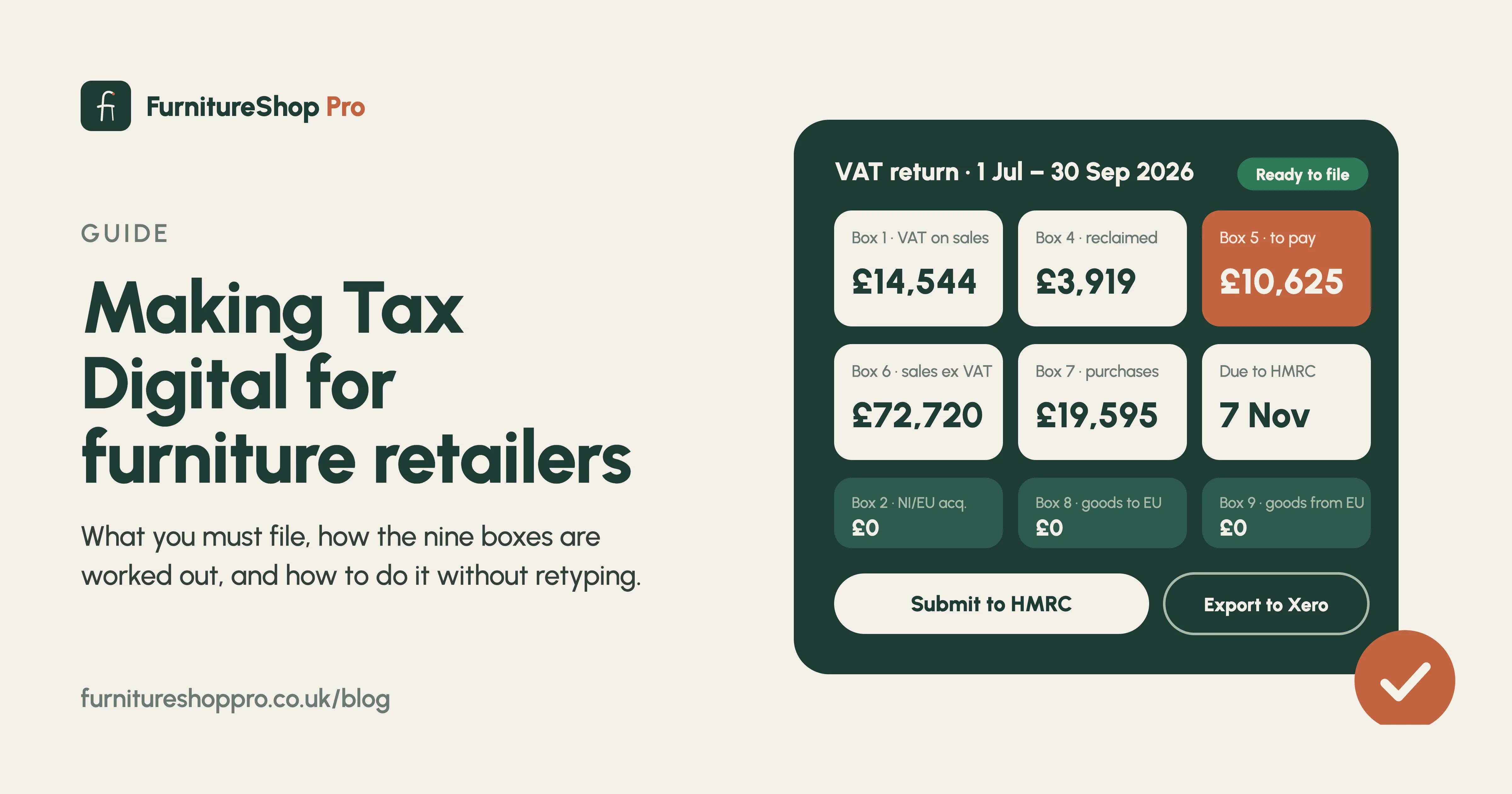
The nine boxes, for a furniture shop
- Box 1 VAT on your sales, including VAT on deposits received this period.
- Box 4 VAT you can reclaim on stock bought from suppliers, delivery vans, fuel and shop expenses.
- Box 5 Box 1 minus Box 4: what you pay, or what HMRC owes you.
- Box 6 Your sales excluding VAT.
- Box 7 Your purchases excluding VAT.
- Boxes 2, 3, 8 and 9 mostly relevant only if you buy from or sell to Northern Ireland and the EU.
Where furniture shops go wrong
Deposits. A deposit creates a tax point when it is received, so the VAT belongs in that quarter, not the quarter the sofa is delivered. If sales are only recorded on delivery, Box 1 is wrong and so is the cash flow forecast.
Filing without retyping
When every sale, deposit, purchase order and expense is already in one system, the nine boxes are calculated for you and filed to HMRC with one click through the Making Tax Digital connection. Prefer your accountant to file? One-click exports for Xero, QuickBooks and Sage carry the same figures across.
Keep the records
Digital records must be kept for six years. Cloud software with nightly backups covers that without a filing cabinet.
See VAT and accounts in FurnitureShop Pro, or book a demo.
Frequently asked
Can FurnitureShop Pro file my VAT return to HMRC?
Yes. The nine-box return is calculated from your sales, deposits, purchases and expenses and submitted through HMRC's Making Tax Digital connection.
My accountant does my VAT. Can they still use their own software?
Yes. Export the period to Xero, QuickBooks or Sage with one click and your accountant files as usual.